1.7. Recommendations for recording with a mobile device
1.7.3. Record the video horizontally
You should avoid shooting in portrait with your smartphone or tablet. Recording in portrait position is a fairly common tendency with the smartphone, as we use it in this position for most purposes.
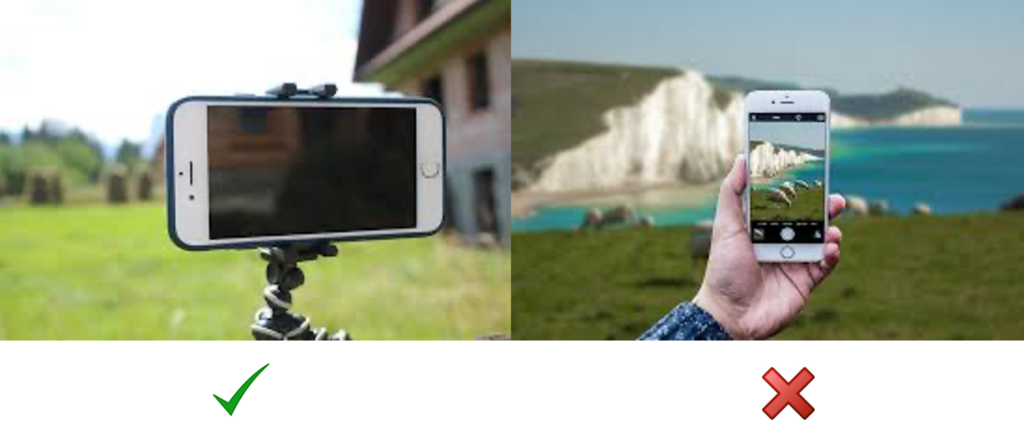
We should keep it in mind that, when recording with a video camera, we don’t normally record vertically, unless you specifically want to do it that way. This would not be a problem if the video was only displayed on smartphones. The problem arises when the video is displayed on other screens, such as computers or televisions, which are horizontal, and currently in a 16:9 screen ratio. Therefore, when a vertically recorded image is displayed, black stripes appear on the sides, as the proportions are inverted. This is why it is recommended to record horizontally with mobile devices.
The result of recording incorrectly can be seen in the following examples:


It is also important to look for a reference line on the horizon so as not to tilt the recording and avoid a crooked view.
Set the device horizontally and look for a reference line on the horizon.
One exception is Instagram. This platform, aware of the diversity of its users’ preferences, allows two different versions of video recording, portrait and landscape. This makes the platform more inclusive for all types of users, reflecting the current dynamics of online content consumption. Therefore, whether you prefer to watch videos in full-screen landscape mode, or fit them on your device’s screen in portrait mode, Instagram has tried to adapt to the viewing preferences of its users. Instagram‘s vertical posts are limited to 60 seconds for reels and 15 seconds for stories. Both types of content are meant to create fun and entertaining content and are perfect for companies that want to showcase their products or services in an innovative way. Facebook, TikTok and Snapchat also have the option to share their content in vertically recorded videos.